Image Converter Guide | Banma Fish Tools
1、Core Tool Advantages
Banma Fish Free Image Converter is a completely local-running online tool for image format conversion. It serves a wide range of scenarios, including daily office image processing, self-media material creation and online asset adaptation.Here are its key core advantages:
- Completely free for all users with no membership required and unlimited single or batch conversions.
- Runs entirely locally in your browser with no cloud uploads, protecting your file privacy and data security.
- Supports mutual batch conversion of mainstream formats including WebP, JPG, PNG, BMP.
- Converts iPhone HEIC photos to all common image formats except HEIC itself.
- Pure front-end local computing delivers fast conversion without server waiting time.
2、Full Image Conversion Steps
- Select the source and target formats from the drop-down menu on the right.
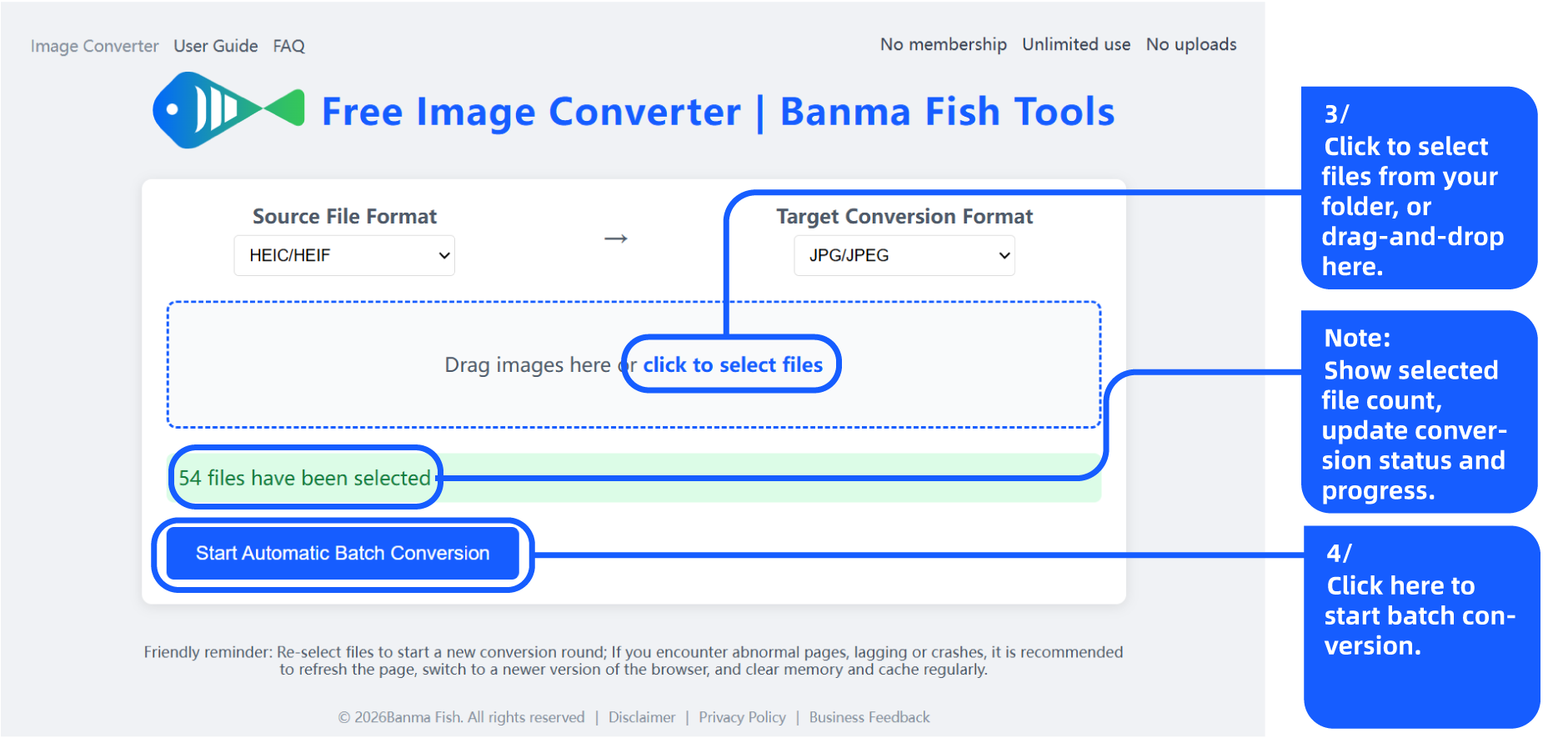
- Select local images, or drag files to upload area, then click to start auto batch conversion.
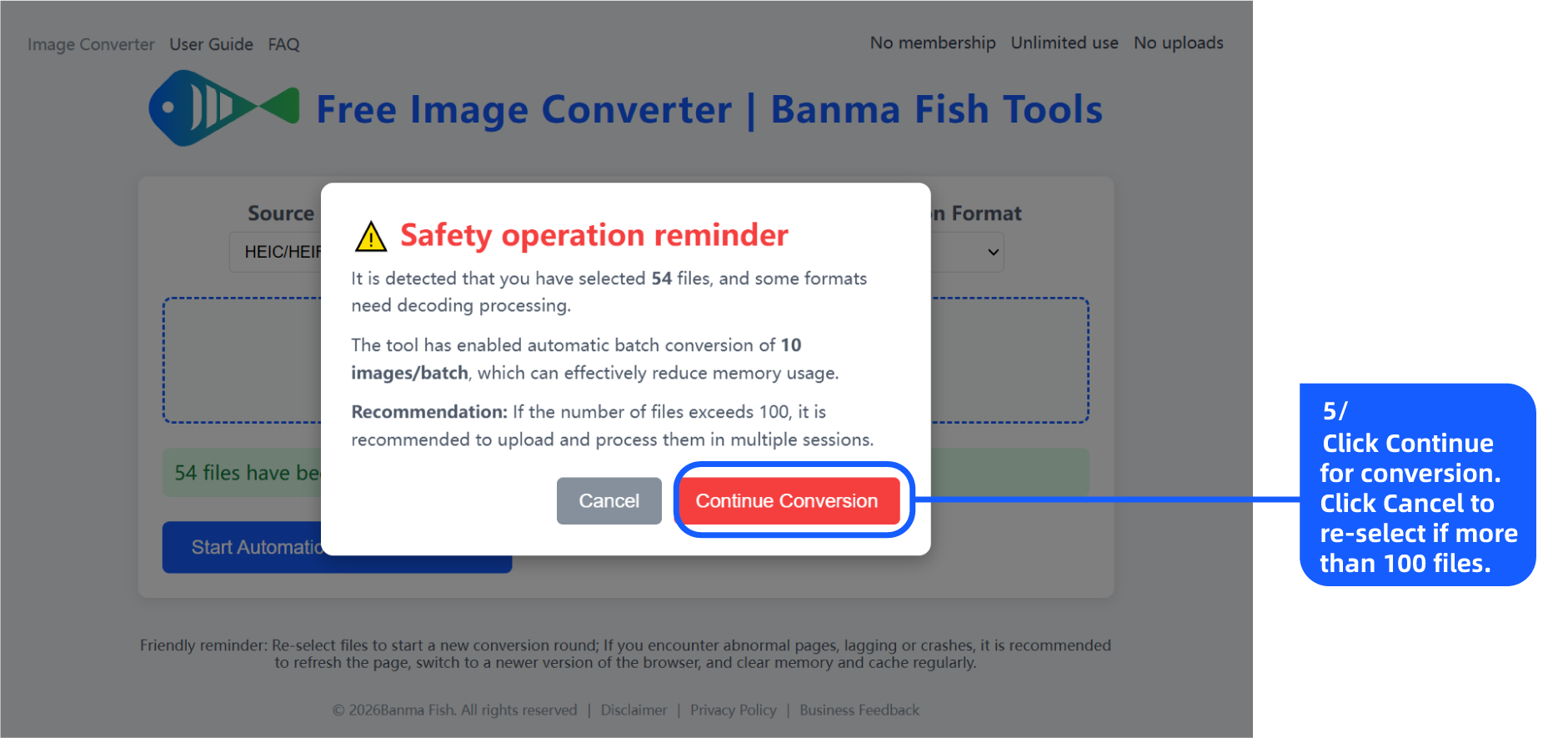
- Follow safety prompts to continue conversion or cancel for re‑upload.
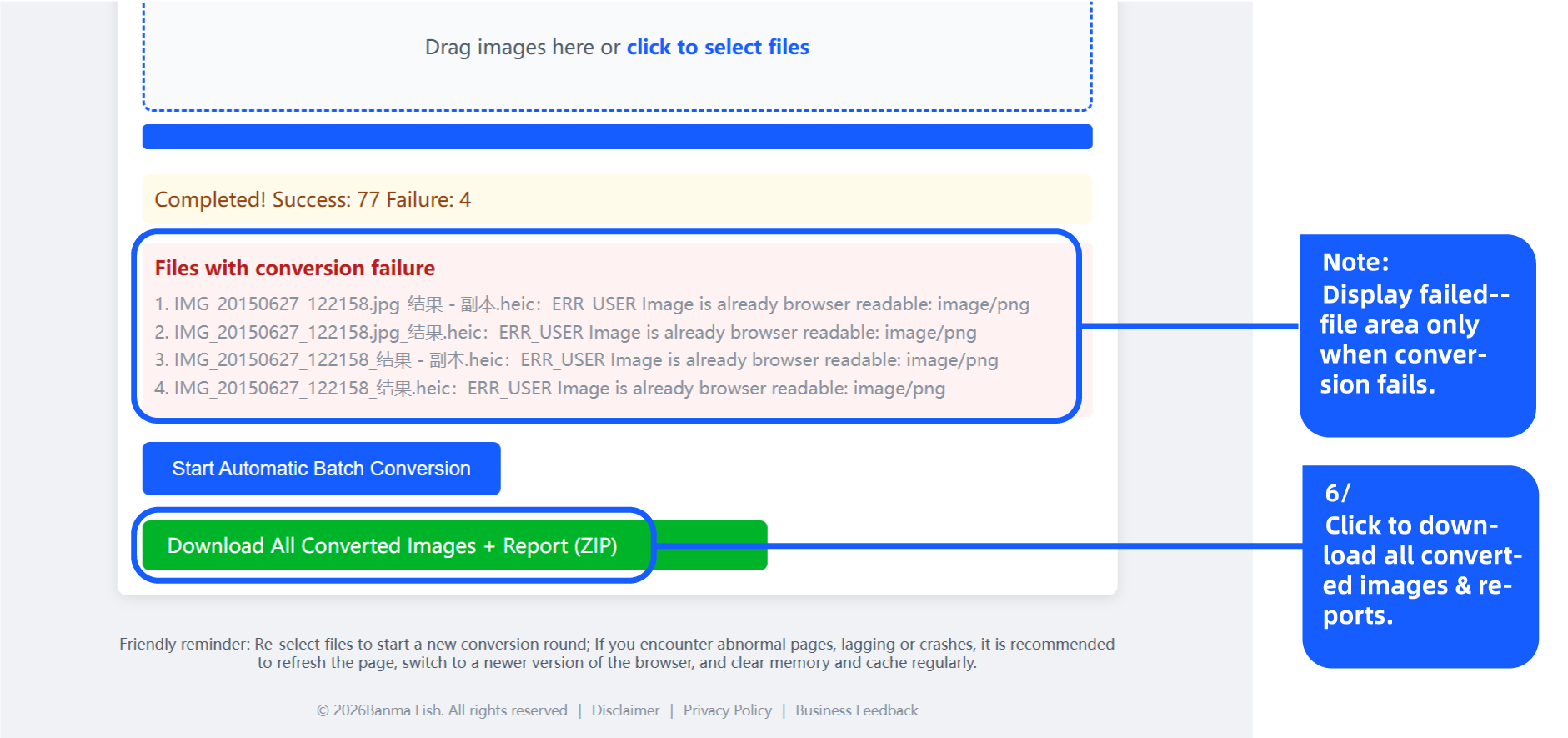
- After conversion is finished, click the batch download button to save your images.
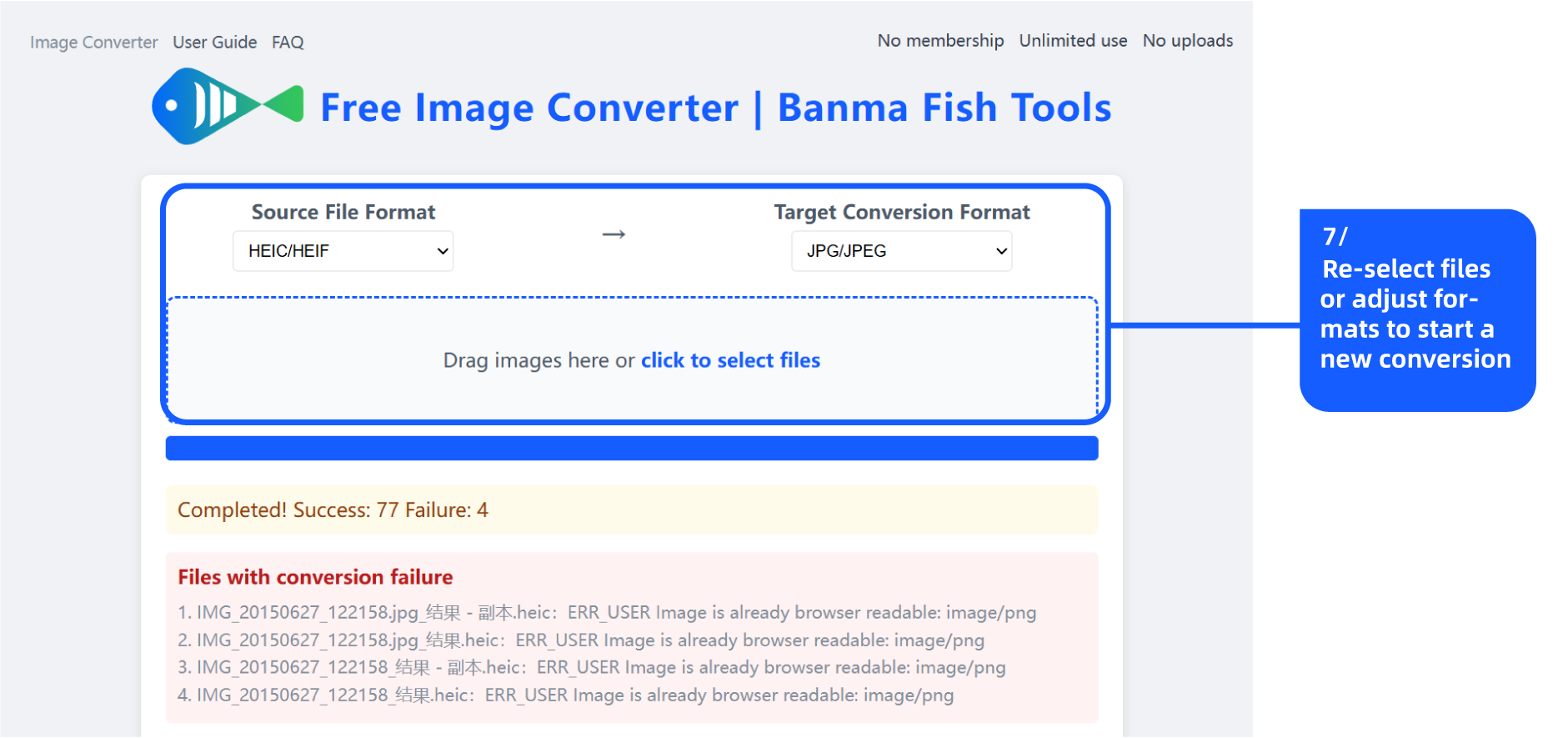
- Reselect files or reset formats to start a new conversion task.
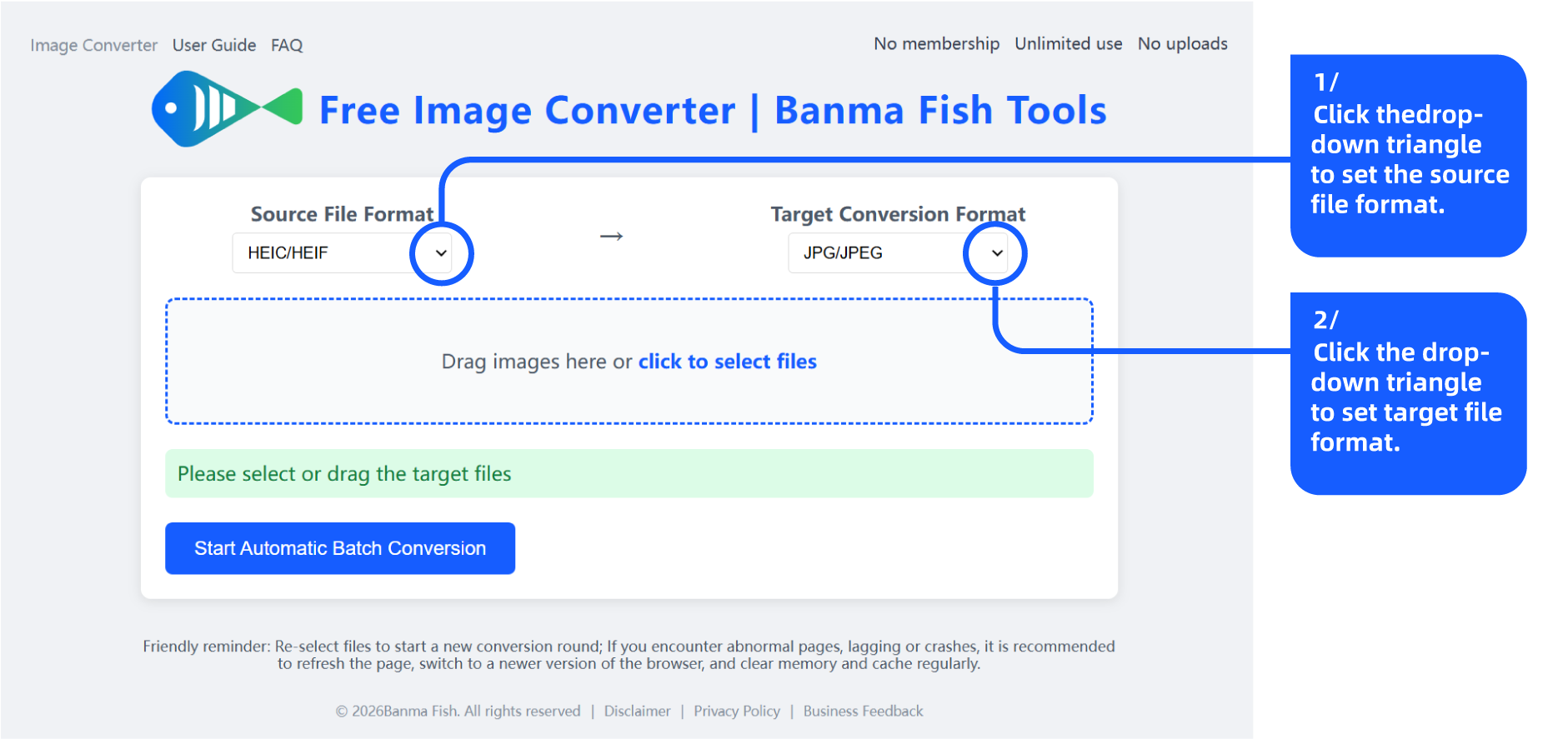
Figure 1: Set your desired image formats
3、Disclaimer & Terms of Use
This tool is free for non-commercial purposes. Commercial use requires prior authorization from the author. Users are responsible for ensuring that all uploaded materials are legal. The tool is provided on an "as-is" basis. The developer holds no responsibility for any damages arising from file format errors, file exceptions, third-party scripts or browser compatibility issues. The integrated heic2any component is licensed under the MIT License (© Alex Corvi). Your continued use of this tool confirms your acceptance of these terms. If you do not agree, please refrain from using the tool.
4、Data Processing & Privacy Policy
All image processing is completed locally in your browser. No personal files or data will be uploaded or stored. Only advertising invocation statistics may be uploaded to relevant ad operators to support daily website operation. This tool adopts native browser functions. Continued use of the tool indicates that you have read, understood and agreed to the above data processing operations.
5、Advertising, Business & Feedback Channels
This is a free front-end image converter that runs entirely locally. The website will be supported by display advertisements in the future. The operating entity is Banma Fish Studio. For advertising cooperation, business inquiries, user feedback and complaints, please contact us via banma-fish@139.com. Continued use of this tool means you have read and agreed to all relevant terms. Thank you for your support and trust.